There is a special version of the panel that operates in beta mode: new features or changes are being tested on the website, and only members of the testing team can log in. If, after logging in, you see a message about restricted access to the beta panel or an access error page, it means that you have accessed the beta version of the panel. Below is a description of how to access it and what to do if you do not have access yet.
What is a beta version?
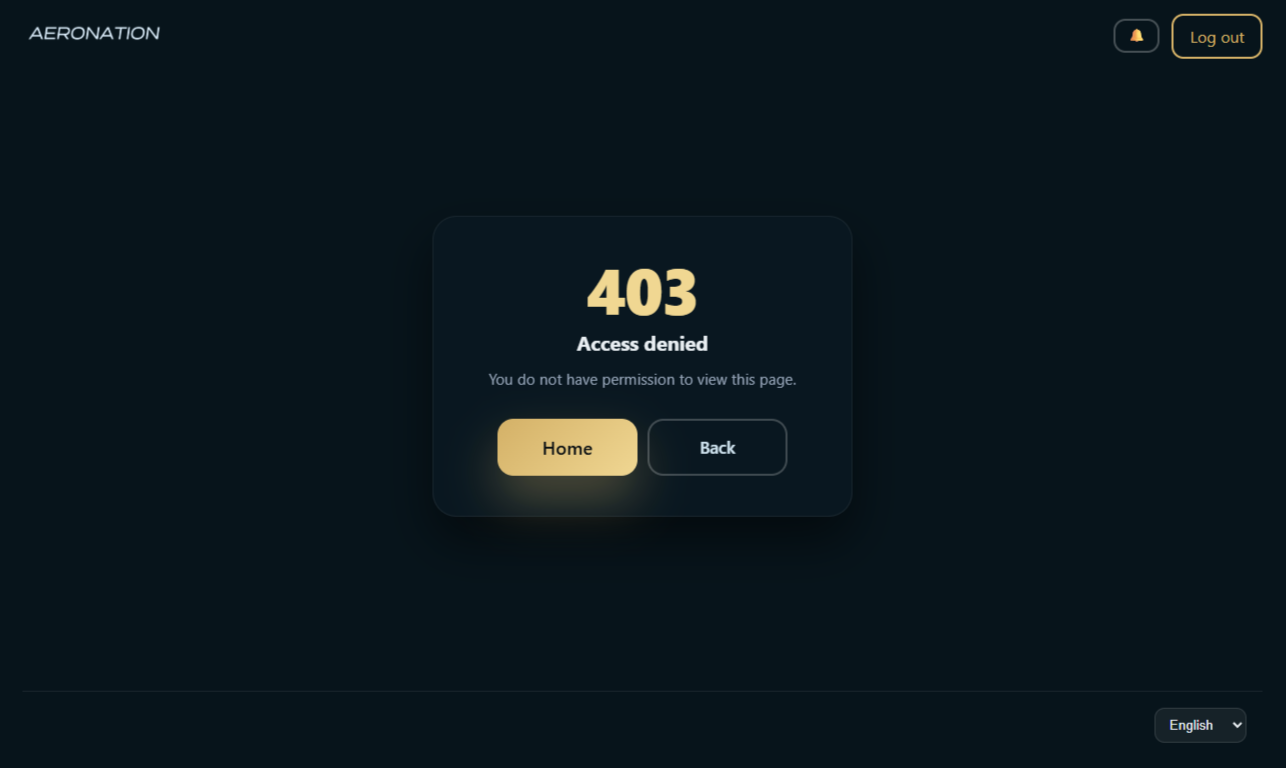
Beta version is a test version of the panel. It is used to test updates before they appear on the main panel. When the administration enables "beta only" mode, only users participating in the testing program can access this site. Others will see an access restriction message or a 403 error page.
At the same time, the main panel (panel.aeronation.ru) continues to work for everyone. If you do not need access to the beta version, you can use the main version of the site.
How do I gain access?
The only way to get early access to updates is to join the testing program.
Participation in the testing program gives you access to the beta version. You can join the program on the main version of the panel (panel.aeronation.ru):
- Log in to the main panel.
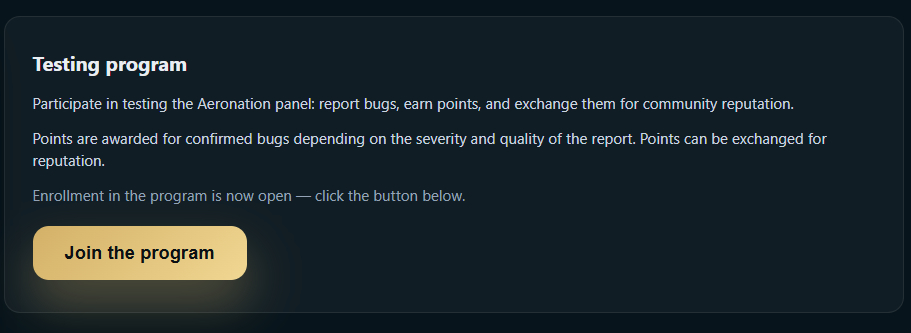
- In the side menu, open «Join the testing program» (or go to the «Testing» section).
- On the program page, click the «Join the program» button.
After that, you will become a member of the testing program and will be able to access the beta version when it becomes available.
What can you see if there is no access?
When «beta only» mode is enabled, users without tester rights may see the following when attempting to open any page after logging in:
- The «Access to the beta panel is restricted» page (if you followed a direct link to it) – it states that this is a test version, provides a link to the main panel, and recommends contacting the administration if you need access to the beta.
- Access error (403) – when trying to open other pages.
On the restrictions page, there is an «Log out» button and a link to the main panel – you can exit and use panel.aeronation.ru.
Frequently Asked Questions
I joined the testing program, but I still can't access the beta site.
Make sure you are logged in with the same account you used to join the program. If «beta only» mode was enabled before you joined, try logging out and logging back in. If the problem persists, contact support.
Is beta mode always enabled?
On the special version of the site, yes. The «beta only» mode is enabled by the administration during testing. On the main version of the site, the mode is always disabled, and all authorized users can access the site.
How does the beta version differ from the main version?
The beta version may include new features, interface changes, or logic that has not yet been released on the main site. The rest of the functionality is the same as the main panel.
Can I use the main panel while beta mode is active?
Yes. The main panel (panel.aeronation.ru) is available to everyone. The restriction only applies to the test (beta) site if you access it via a separate address.