The web panel allows you to log in to your account using your VK ID – your single VKontakte account. This is a convenient and secure method: you don't need to remember a separate password for the panel, and you can log in with just a few clicks.
Step-by-step instructions
1. Open the login page
Go to the web panel login page (usually the home page of the site if you are not yet logged in).
2. Select login via VK ID
On the login page, below the «Login/Password» form, there is a section labeled «Or log in with» and a button with the VK logo. Click on it – this is the «Log in with VK ID» button.
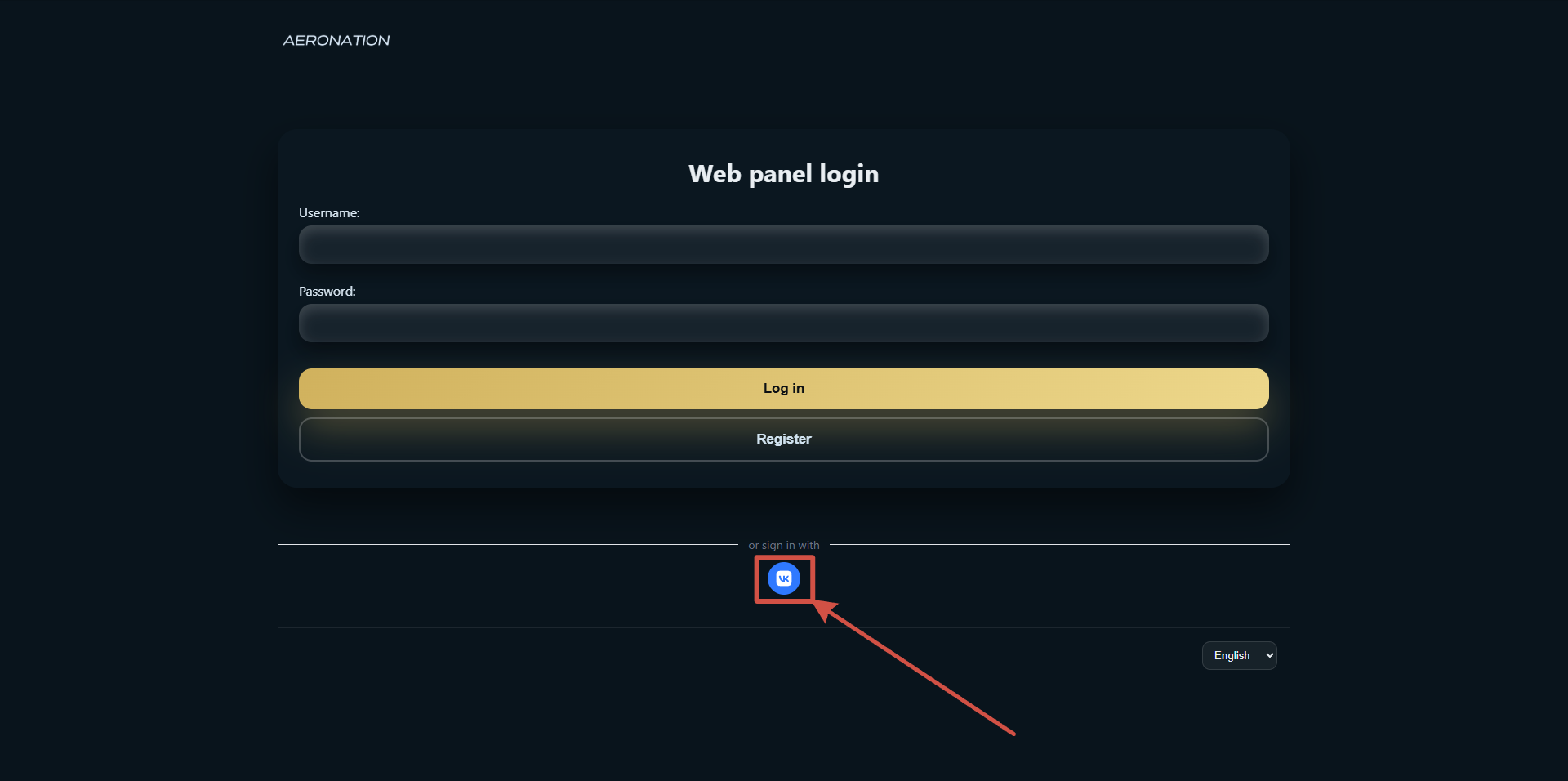
3. Authorization on the VK side
You will be redirected to id.vk.com (VK ID service). There you may be asked to:
- Log in to your VKontakte account if you are not already logged in to your browser or the VK app.
- Allow access to basic information (first name, last name) – this is necessary to display your name in your profile on the panel.
Confirm your login by clicking the authorization button on the VK ID page.
4. Return to panel
After successful authorization, you will automatically return to the web panel and find yourself on the main page (your pilot panel).
First login via VK ID
If you are logging in via VK ID for the first time, your account will be created automatically. You do not need to register separately: after confirmation at id.vk.com, a new user linked to your VK ID will be created in the panel. Your first and last names will be added to your profile and can be changed later in the settings.
Further log-ins are made in the same way.
If something went wrong
-
«VK ID authorization error. Please try again.»
This is often due to an expired or incorrect session. Try clicking «Log in with VK ID» again. If the error persists, close any extra tabs with the panel and id.vk.com, reopen the login page, and try again. -
«The VK ID service is temporarily unavailable. Please try again later.»
The VKontakte authorization service may be overloaded. Please wait a few minutes and try again. -
«No access» error
This error means that you have attempted to log in to a section of the panel for which you do not have access rights. Go to the home page and log in again. -
After logging in, the «You are blocked» page opens.
This means that your account's access to the dashboard is restricted. Details and the possibility of appealing are described in the knowledge base article «What is the «You are blocked» page?».
Frequently asked questions
Do I need to register separately if I want to log in with my VK ID?
No. When you log in for the first time using your VK ID, an account is automatically created on the panel.
Can I log in using my VK ID from my phone?
Yes. If you open the panel login page in your mobile browser and click «Log in with VK ID», the id.vk.com page will open, where you can log in or confirm access in the same way as on a computer.
Is it safe to log in via VK ID?
Login is performed using the standard OAuth protocol with PKCE: you only enter your VKontakte password on the id.vk.com website; the panel does not request or store your password. The panel only receives the data you have authorized (basic profile information).
Logging in via VK ID does not work in my browser. What should I do?
Ensure that transitions to id.vk.com are not blocked (check extensions, ad blockers, or corporate restrictions). Try a different browser or incognito mode without extensions.
Is it possible to log in using only a username and password, without a VK ID?
Yes. The login page has a «Login» and «Password» form – you can only use this form. Logging in via VK ID is an alternative option if you wish.