To end the session on the current device, you need to log out of your account. This can be done directly in the web panel.
Where is the «Log out» button?
In the panel interface, find the «Log out» button. It is located in the upper right corner of the web panel.
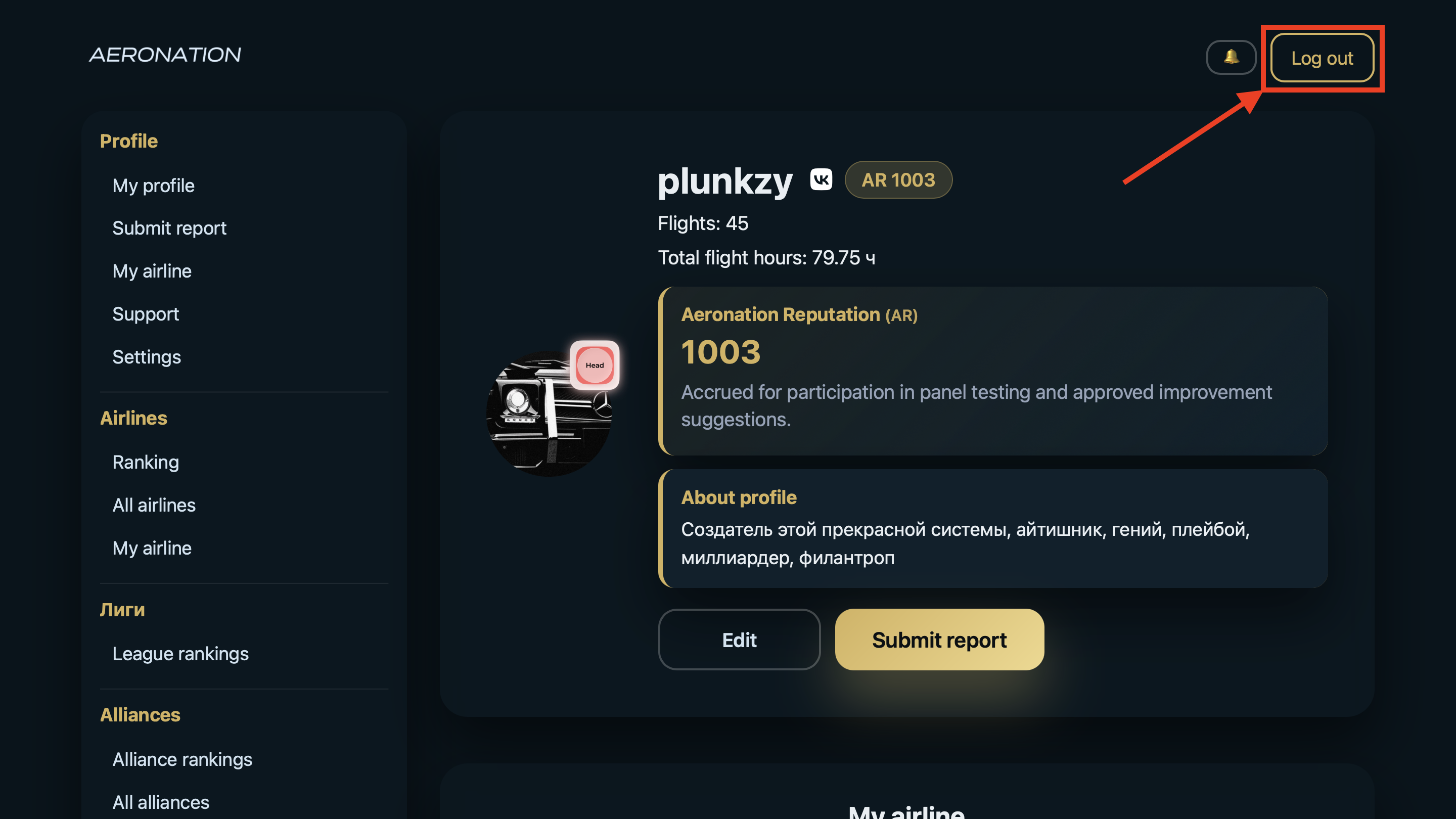
After logging out
After clicking the «Log out» button, you will no longer be authorized on this device in this browser. To log back into the panel, you will need to re-enter your username and password (and 2FA code, if you have it enabled) or use your VK ID to log in.
If you logged in from a shared or someone else's computer, it is best to always log out after use so that another person cannot access your account.
Why is there no «Log out» button?
On the «Access restricted» page, which appears when temporary restrictions are imposed on an account, the menu and logout button are not displayed. This is done specifically for blocked users. For more information, see the article What is the «You are blocked» page?.
Часто задаваемые вопросы
I don't see the «Log out» button. Where is it?
It is located in the upper right corner of the web panel.
Log out from one device – will I be logged out everywhere?
No. Logging out only ends the session in the browser where you clicked «Log out». On other devices or in other browsers, the session will remain active until you log out of your account yourself or until the session expires.
Is it possible to end a session on one device from another device?
Currently, this functionality is not available.